倒水游戏动态绘画效果深度解析:从像素分析到Shader渲染的完整技术实现
倒水游戏动态绘画效果深度解析:从像素分析到Shader渲染的完整技术实现
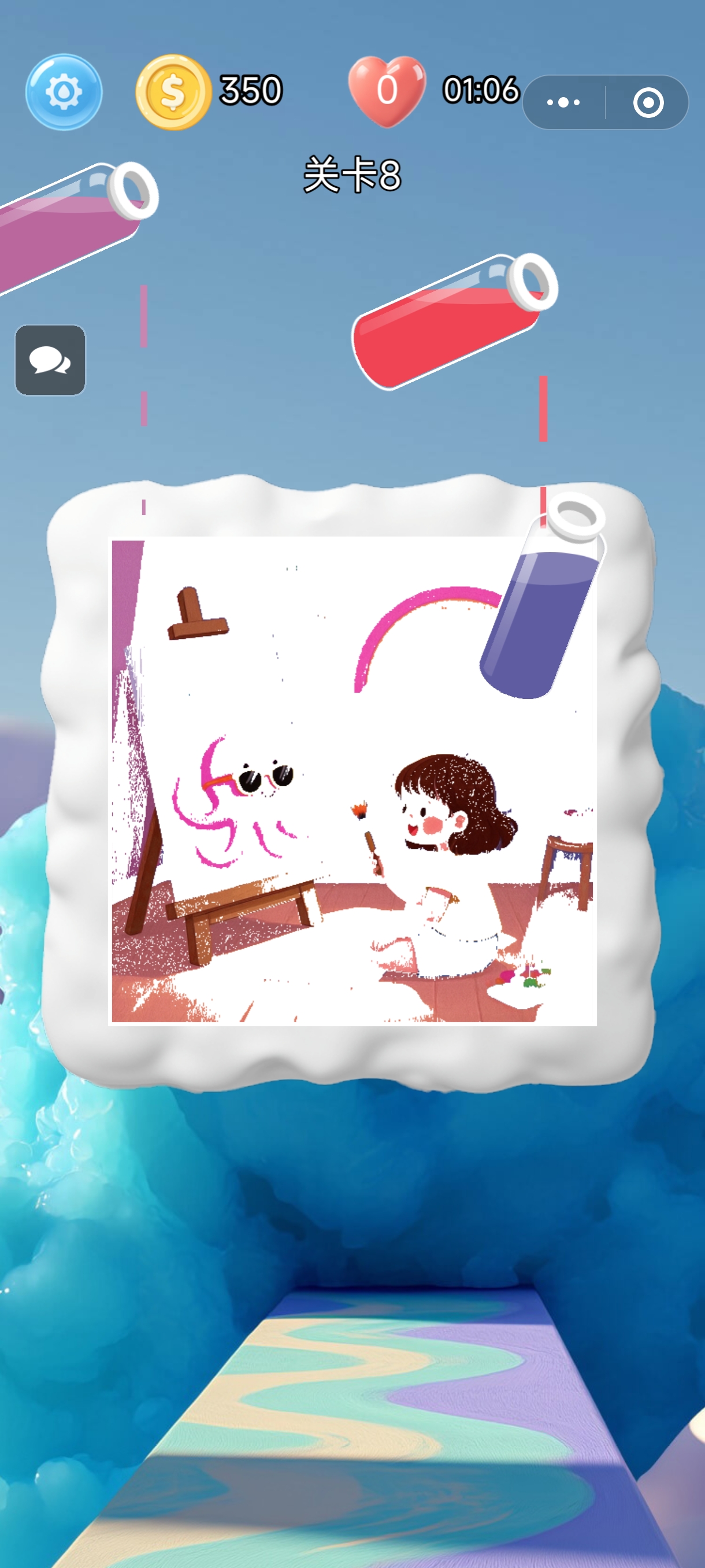
在倒水游戏中,我实现了一种独特的动态绘画效果,让水彩颜料像真实水流一样在画布上扩散、融合。这种效果不仅增强了游戏的艺术表现力,也为玩家带来了全新的视觉体验。本文将深入解析这一效果的技术实现方案,从像素分析到Shader渲染的完整技术栈。
效果演示
游戏发布信息
- Cocos商店: https://store.cocos.com/app/detail/8248
- TapTap试玩: https://www.taptap.cn/app/777997?os=android
- 微信小程序: 微信搜索”我的七彩界”
核心技术架构
1. 整体设计思路
动态绘画效果的核心思想是将静态图像分解为多个颜色层,然后按照预定顺序和时间间隔逐层渲染,模拟水彩颜料在画布上自然扩散的过程。
1 | // 核心数据结构:颜色列范围数组 |
2. 核心技术组件:VwDrawingBoard
VwDrawingBoard 组件是整个效果的核心实现,负责管理图像加载、颜色分析、动画控制和渲染输出。
2.1 组件初始化与资源配置
1 | /** |
2.2 遮罩纹理系统
遮罩纹理是实现动态显示的关键技术,通过控制每个像素的透明度来实现渐进式显示效果:
1 | protected async setupMaskTextureAndLoadImage() { |
核心算法:像素分析与颜色分层
3.1 颜色相似度计算
使用欧几里得距离算法计算像素颜色与目标颜色的相似度:
1 | protected generateColorColumnRanges(pixelBuffer: Uint8Array) { |
3.2 垂直线段合并算法
为了优化性能,将垂直方向上连续的相同颜色像素合并为线段:
1 | // 在垂直方向上扫描,合并连续的同色像素 |
动画时序控制系统
4.1 智能时序规划
为了确保动画效果的自然流畅,系统需要智能规划各颜色层的绘制顺序和时间:
1 | protected calculateAnimationTimings() { |
4.2 实时动画更新
系统通过每帧更新机制实现平滑的动画效果:
1 | protected update(dt: number): void { |
渐进式渲染技术
5.1 平滑渐显效果
为了实现自然的渐显效果,系统采用渐进式渲染策略:
1 | private renderRangeGradually(range: [number, number, number, number, number]) { |
性能优化策略
6.1 内存管理优化
1 | protected releaseImageReferences() { |
6.2 渲染优化
- 垂直方向约束:只在垂直方向合并像素,减少计算复杂度
- 颜色量化:使用有限的颜色调色板,减少颜色匹配计算量
- 缓冲区管理:合理管理纹理缓冲区,减少GPU上传次数
技术亮点总结
- 智能颜色分析:基于欧几里得距离的颜色相似度算法,准确识别图像中的主要颜色区域
- 自然动画时序:动态计算绘制速度和时间间隔,确保动画效果的自然流畅
- 渐进式渲染:平滑的渐显效果模拟真实水彩扩散过程
- 跨平台兼容:支持WebGL、WebGL 2.0和WebGPU等多种图形API
- 性能优化:通过线段合并、延迟渲染等技术确保在移动设备上的流畅运行
应用场景扩展
这种动态绘画效果技术不仅可以应用于倒水游戏,还可以扩展到:
- 教育应用:书法教学、绘画教程中的笔迹演示
- 艺术创作:数字艺术作品的动态展示
- UI动效:应用启动画面、功能引导的渐进式显示
- 广告创意:品牌Logo的动态绘制效果
结语
通过像素分析、颜色分层和渐进式渲染技术的结合,我成功实现了倒水游戏中独特的动态绘画效果。这种技术方案不仅具有很好的视觉效果,还在性能优化方面做了充分考虑,确保了在各种设备上的流畅运行。
未来,我可以进一步探索基于物理的流体模拟、更复杂的颜色混合算法,以及实时交互绘制等功能,为用户带来更加丰富和沉浸式的绘画体验。
技术栈: TypeScript, Cocos Creator, WebGL, Shader编程, 图像处理
作者: Lioe Squieu
项目地址: [GitHub仓库链接]
在线体验: [游戏Demo链接]
本博客所有文章除特别声明外,均采用 CC BY-NC-SA 4.0 许可协议。转载请注明来源 Lioe Squieu | Cocos休闲游戏开发!
相关推荐
2025-10-14
倒水游戏中的动态绘画效果实现:基于像素分析与着色器渲染的技术方案
倒水游戏中的动态绘画效果实现:基于像素分析与着色器渲染的技术方案在传统的倒水游戏基础上,我创新性地引入了动态绘画功能,通过像素级处理和实时渲染技术,实现了水流绘制图像的视觉效果。本文将详细介绍该功能的技术实现方案。 效果演示 您的浏览器不支持视频标签 图:动态倒水绘画效果演示 游戏发布信息该游戏已正式发布,欢迎体验: Cocos商店:https://store.cocos.com/app/detail/8248 TapTap试玩:https://www.taptap.cn/app/777997?os=android 微信小程序:微信搜索”我的七彩界”即可体验 核心技术原理垂直线段动态渲染机制该技术的核心思想是通过动态显示一系列垂直线段来模拟水流效果。具体实现中,我采用以下优化策略: 颜色相似性约束:仅允许垂直方向上颜色相似的像素组成同一条线段 分段渲染:每条竖线被划分为多个不同颜色的线段片段 时序控制:各颜色段的显示按照预设时间间隔依次激活 图:绘画过程中的中期效果展示 技术实现流程1. 像素数据获取首先需要从源图像中提取像素数据。通过Cocos Cre...
2025-10-16
倒水游戏动态绘画效果的技术原理深度分享:从像素分析到Shader渲染的核心概念解析
引言在游戏开发中,动态绘画效果是一种常见但技术挑战性高的特性,尤其在倒水类游戏中,如何实现流畅、自然的液体流动和绘画动画,涉及到多个图形学核心概念。本文将以倒水游戏的动态绘画效果为例,深度解析从像素分析到Shader渲染的完整技术原理,减少代码展示,专注于算法思想、渲染管道和通用知识分享,帮助开发者理解底层机制并应用于其他项目。 效果预览 您的浏览器不支持视频标签。 倒水游戏动态绘画效果演示 核心技术架构概述动态绘画效果的核心在于将静态图像转化为动态过程,模拟液体流动的视觉效果。整体架构基于像素级分析和实时渲染的结合,主要分为三个层次: 图像预处理层:负责原图的像素分析和颜色分层。 动画控制层:管理动画时序和渐进式渲染。 渲染层:通过Shader实现最终视觉效果。 这种分层设计确保了模块化、可扩展性和性能优化,是图形应用中的经典模式。 像素分析与颜色分层算法原理算法流程概览 图:颜色分层算法流程图 - 展示了从像素输入到分层输出的完整处理流程 像素分析的基本概念像素分析是动态效果的基础,其核心是从原始图像中提取颜色信息并分组。关键在于颜色相似度计算,这通常使用欧...
2023-07-01
《Musicube Dropuzzle》——音乐与益智的完美结合
游戏简介《Musicube Dropuzzle》是一款融合了音乐与益智元素的休闲游戏,由我们团队开发。游戏以音乐、唱片和木纹为主题,提供了独特的主玩法和副玩法,让玩家在轻松愉快的氛围中享受挑战与乐趣。 主玩法游戏的主玩法是经典的方块堆叠消除模式: 方块会一层层堆叠而上,玩家可以左右移动方块的位置。 如果下方有空位能容纳方块,方块就会掉落。 当一行被方块填满时,这一行会消除。 每次移动后,下方会出现新的一行方块,将上方的方块顶上一行。 如果方块顶到最上面,游戏失败。 在主玩法中,玩家可以收集音乐碎片,这些碎片是解锁副玩法的关键。 副玩法副玩法讲述了一个感人的故事: 在干旱的沙漠中,有一口井,井底有地下河流。 井口有一条快渴死的小鱼,它需要尽快回到井底的河水中。 井被许多方块和木板挡住,玩家需要通过消除方块帮助小鱼回到水中。 副玩法的规则: 每隔3~5行,会有一个横向的木板拦住小鱼的路。 玩家需要将下方出现的方块移动到当前层的空位中。 当一层被完全填满时,这一层的方块和木板会消失,小鱼可以进入下一层。 通过一层层消除,最终让小鱼回到水中。 音乐与奖励游戏中共有...
2023-08-01
《Blofish Dropuzzle》发布:三合一海底益智冒险
>> 立即下载游戏
2024-01-28
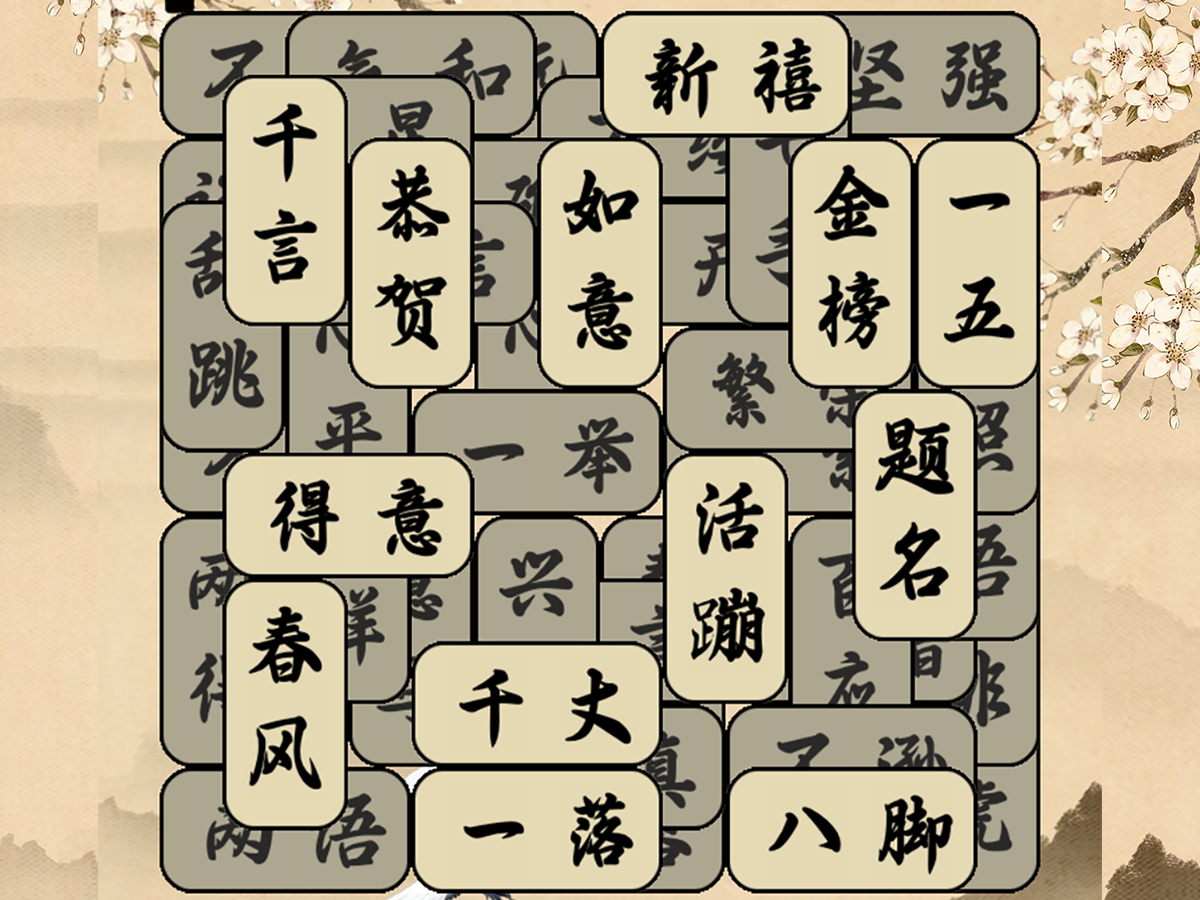
一周开发成语消除游戏《成了个语》上架记
失业在家期间,我玩到一款类似“羊了个羊”的层叠消除游戏,觉得很有创意。于是,我决定参考这个玩法,制作一款以成语为主题的消除游戏——《成了个语》。 开发历程 灵感来源:借鉴层叠消除玩法,结合中国传统成语元素 开发周期:仅用一周时间完成核心玩法(2024年1月21日-28日) 技术栈:Cocos Creator 2.x 游戏引擎 玩法特色:玩家需要在层叠的汉字中找出完整成语进行消除 游戏展示 上架成果游戏已上架Cocos官方商店: Cocos商店页面 收益情况 采用折扣定价策略 上架半年内陆续有玩家购买 基本收回开发成本(主要花费为时间成本) 反思与收获这次独立开发经历让我深刻体会到: 小体量游戏也有市场空间 合理定价策略的重要性 传统文化题材的游戏潜力
2025-10-31
Godot开发初体验:加盟店与货源的比喻
Godot开发初体验:加盟店与货源的比喻引言花了一天的时间,我深入学习了Godot游戏引擎的开发。跟着官方文档中的例子,成功制作了一个demo。这次体验让我对Godot有了全新的认识,也让我想到了一个有趣的比喻:Godot就像开一家加盟店,而Cocos Creator更像是提供货源。 开发体验Godot:加盟店模式 为什么说Godot像加盟店? 标准化流程:加盟店有成熟的运营手册,Godot有完整的节点系统和可视化编辑器 快速上手:就像加盟店有品牌支持,Godot提供了GDScript语言和丰富的官方文档 即插即用:内置的组件和工具让开发变得简单直接 社区支持:活跃的社区就像加盟店的培训体系 实际开发感受在一天的学习中,我深刻体会到Godot的开发效率: 节点系统:直观的场景树结构,让游戏对象管理变得简单 GDScript:Python风格的语法,学习成本低 内置编辑器:完整的开发环境,无需额外配置 文档质量:官方文档详细且实用 Demo演示 您的浏览器不支持视频播放 这是我跟着Godot官方教程制作的demo演示 与Cocos Creator的对比Coco...